
Picture this: You spend days hunting for the perfect graphic tee online. Maybe it’s a limited-edition streetwear drop from your favorite Indian indie label, a custom anime print, or that sleek merchandise your college department printed for the annual festival. You wear it once, snap a killer photo for your Instagram grid, and throw it into the laundry basket.
But when it comes out of the washing machine and dries on the clothesline, your heart sinks.
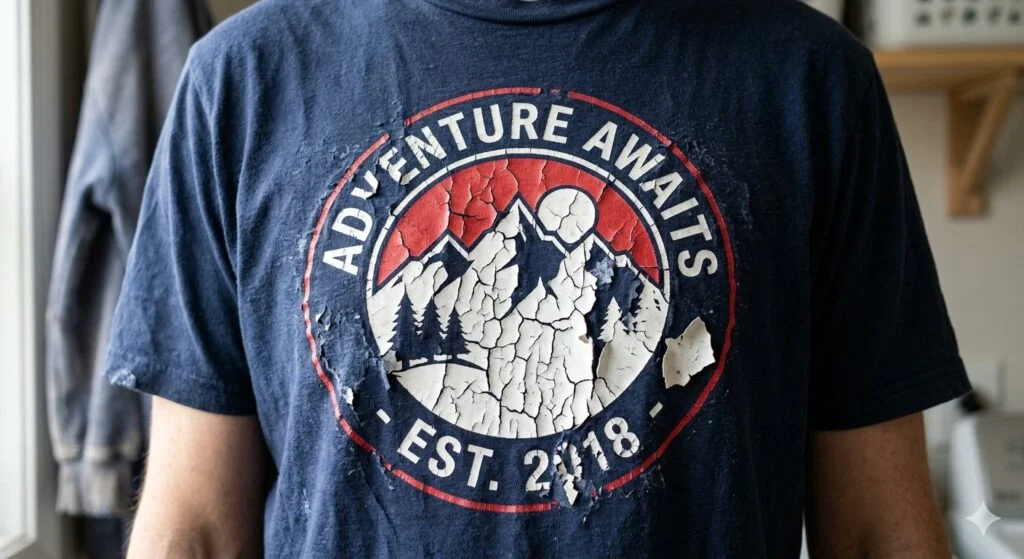
That beautiful, vibrant design now looks like a dry, cracked desert landscape. The letters are splitting apart, the ink is flaking off like dandruff, and your premium-looking garment now looks like a cheap rag you’d use for household cleaning.
If you are a consumer, you are instantly furious and ready to drop a scathing 1-star review on the brand’s website. If you are an apparel startup founder running a lean clothing label, you are sweating bullets because your entire batch of inventory might have the exact same defect.
So, what exactly went wrong? Why does a graphic print give up after just one or two wash cycles? Let’s take a deep look at the science behind why do printed t-shirts crack after wash and break down exactly how fabric printers and everyday buyers can stop this nightmare from happening.
🔍 The Science of Ink Flaking: Understanding Fabric Print Chemistry
To solve the cracking mystery, we first need to look at what happens on top of your t-shirt fibers. Most graphic tees in India are printed using either Plastisol ink (traditional screen printing) or automated digital methods like DTF (Direct to Film) or DTG (Direct to Garment).
No matter which printing method is used, the print is essentially a flexible polymer or plastic layer bound to woven cotton threads. When you wear a t-shirt, the fabric stretches, moves, and flexes with your body. For a print to stay perfect, the ink layer must move in complete harmony with the fabric underneath.
If the ink loses its elasticity, becomes brittle, or fails to fuse properly with the cotton threads, the mechanical action of washing stretches the fabric beyond what the ink can handle. The result? The surface splits open, creating those ugly cracks.
/image
🚨 The Main Culprits: What Causes T-Shirt Print Failure?
If you are trying to figure out why your custom wardrobe is turning into a cracked mess, the blame usually falls into one of three production or design categories.
[The Three Core Causes of Print Cracking]

 ├── 1. Under-Curing (The Heat Deficit) ──> Ink never fully fuses into a solid plastic shield
 ├── 2. Low-Grade Inks & Adhesives ─────> Cheap plastisol or weak DTF powder lacks flexibility
 └── 3. Mechanical Over-Stretching ──────> Thin fabric stretches beyond what the print can support
1. Under-Curing: The Absolute Biggest Culprit
By far, the most common reason behind print cracking is under-curing. Whether a shop uses screen printing or DTF transfers, the liquid ink or adhesive powder must be heated to a specific temperature to set permanently.
For instance, classic plastisol ink must hit an internal temperature of roughly 160°C (320°F) to cross-link its molecules and cure into a tough, flexible plastic film.
If a local print shop hurries through a large wholesale run, pulls the t-shirts out of the conveyor dryer too quickly, or uses a faulty heat press with uneven heating elements, the ink layer only dries on the very top. The core of the ink remains soft and pasty. The moment that shirt hits a washing machine, water dissolves the uncured ink base, causing the top layer to crack and flake away.
2. Using Cheap Plastisol Inks or Poor-Quality DTF Powders
In the highly competitive Indian garment sector, many low-cost printing setups try to cut corners by sourcing cheap, unbranded inks or low-grade adhesive powders from local wholesale markets.
Premium inks contain expensive plasticizers designed to keep the print soft, pliable, and stretchy after drying. Cheap, budget-friendly inks omit these essential additives. They dry stiff and brittle, meaning the graphic cannot handle even slight stretching without cracking right down the middle.
3. Mechanical Over-Stretching on Thin Fabrics
Sometimes, the issue isn’t the print itself, but a mismatch between the ink and the fabric base.
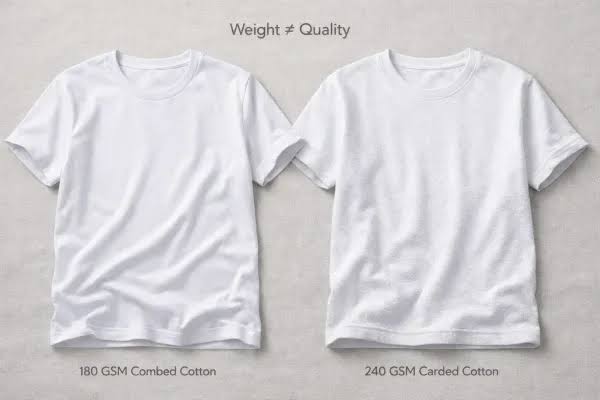
If a heavy, thick layer of ink is applied to an ultra-thin, stretchy 140 GSM jersey tee, the lightweight fabric stretches easily when pulled. However, the heavy ink print cannot match that elasticity. This tension forces the graphic to snap along the weave lines of the fabric.
🛠️ The Printer’s Guide: How Manufacturing Shops Can Prevent Cracking
If you are building your own brand on makemyt-shirt.com or running a local print workshop, preventing prints from cracking is your top priority for quality control. Here is how you can ensure your products stand up to heavy laundering:
1.Calibrate and Verify Heat Press Elements:Step 1.
Never rely blindly on the digital temperature readouts on your heat press or conveyor dryer. Over time, heating coils degrade, creating cold spots across the platen. Use a non-contact infrared laser thermometer or specialized thermal test strips to verify that the entire surface reaches a uniform 160°C.
2.Perform a Manual Stretch Test Before Packing:Step 2.
Once a sample garment is printed and completely cooled, grab the graphic area with both hands and firmly stretch the fabric horizontally. If the print splits open or shows pinholes, your ink is under-cured. Increase your dwell time or raise the temperature setting immediately.
3.Optimize Your Ink Depositions:Step 3.
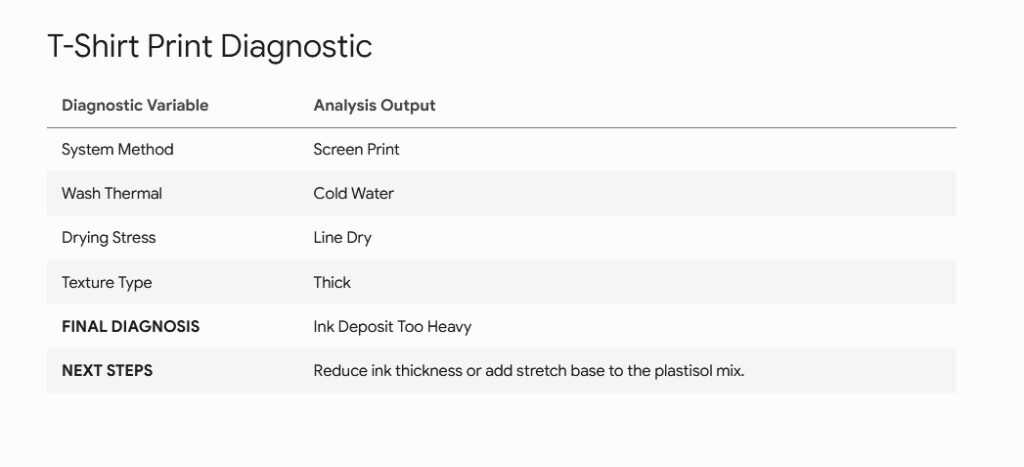
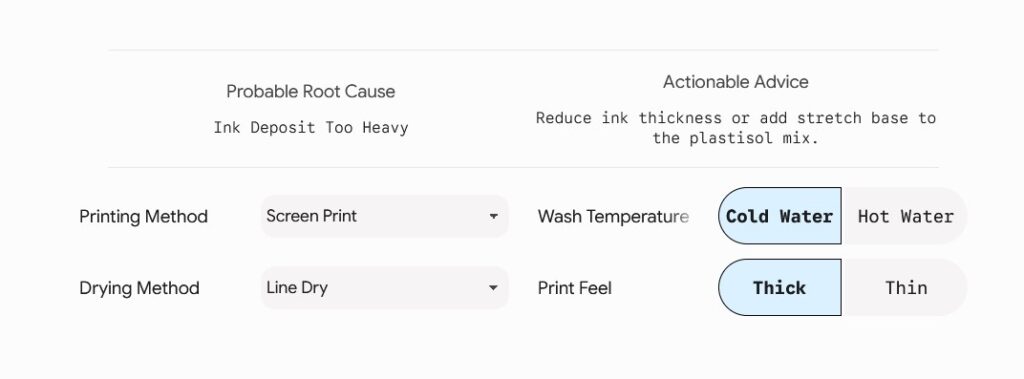
When screen printing on dark fabrics, avoid laying down a single, thick layer of ink to get bright colors. Instead, use a thin white underbase layer, flash-cure it briefly, and then print your colored top layers gently over it. This creates a thin, flexible sandwich instead of a thick, brittle plate.
🧺 The Consumer’s Guide: The Ultimate Graphic Tee Maintenance Checklist
Even if a brand uses top-tier inks, improper laundry habits at home can speed up the wear and tear on your favorite graphic designs. Indian households love heavy-duty washing cycles, intense detergents, and drying clothes under direct, scorching sunlight. While this kills bacteria, it is a recipe for print disaster.
Follow this definitive maintenance routine to keep your favorite graphic tees looking pristine for years:
1. Always Turn the Garment Inside-Out
Before throwing any graphic tee into the laundry bin, flip it inside out. This simple step creates a protective barrier for the print. It prevents the printed graphic from rubbing against the rough metal zippers of your jeans, plastic buttons, and the abrasive inner walls of the washing machine drum.
2. Ditch the Hot Water and Stick to Cold Washes
Hot water is great for bedsheets, but it ruins printed graphics. High temperatures soften the cured plastic resins in screen prints and DTF transfers, making them delicate and prone to peeling. Always wash your graphic tees in cold water (below 30°C) to protect the print’s bond with the fabric.
3. Say No to Hard Detergents and Fabric Bleach
Aggressive stain removers and cheap blue laundry powders contain harsh chemicals that break down the binders in screen printing inks. Stick to mild, pH-neutral liquid detergents (like Genteel, Surf Excel Liquid, or Comfort variants) to preserve the design’s flexibility.
4. Skip the Mechanical Laundry Dryer Entirely
The tumbling action and intense heat inside an automated clothes dryer will ruin custom prints. The extreme heat causes the plastic ink layer to shrink at a different rate than the cotton fabric, leading to instant warping and deep cracks.
5. Line-Dry Your Tees in the Shade
While drying clothes under the direct Indian sun is fast, intense UV rays act like a bleach on fabric pigments and dry out the ink layers, making them brittle. Hang your t-shirts on a hanger inside out, in a well-ventilated shaded area instead.
[The Ideal Home Laundry Workflow]

Flip Tee Inside-Out ──> Cold Water (under 30°C) ──> Mild Liquid Soap ──> Line-Dry in Shade
📊 Quick-Reference Comparison: Printing Styles vs. Cracking Risks
Different apparel decoration methods require different levels of care. Let’s compare how common printing techniques handle wear and tear over time:
| Printing Method | Relative Risk of Cracking | Primary Cause of Print Failure | Expected Lifespan (Wash Cycles) |
| Traditional Screen Printing | Medium | Under-curing in the production dryer or laying down ink too thick | 40+ Washes (If cured properly) |
| Direct to Film (DTF Transfers) | Low to Medium | Using cheap adhesive powder or applying too much heat press pressure | 50+ Washes (Highly resilient) |
| Direct to Garment (DTG) | Very Low | Fades naturally over time rather than cracking, due to water-based ink paths | 25+ Washes (Aesthetic vintage wear) |
| Sublimation Printing | Zero Risk | Ink gas bonds directly with polyester molecules; completely uncrackable | Permanent (Outlasts the garment garment) |
💡 The Pro Ironing Hack: How to Smooth Out Minor Cracks
If your favorite graphic tee has already started showing minor hairline fractures, don’t panic. You can actually use a clever workaround to partially repair the print at home using a standard household iron.
The Rescue Hack: Turn your t-shirt inside out or place a sheet of premium non-stick baking parchment paper directly over the top of the cracked design. Set your iron to a medium heat setting (No Steam) and press down firmly on the area for 8 to 10 seconds. The iron’s controlled heat gently softens the polymer ink molecules, allowing them to re-fuse and close up those minor gaps. Let it cool completely before touching the print!
Understanding the mechanics of why prints fail helps you avoid common pitfalls, whether you are a buyer trying to protect your favorite graphics or a brand owner aiming to keep your customers happy.
See Also
Why Graphic Tees Crack After Washing and How to Prevent It
Stitched with Style: The Art of Custom Embroidered T-Shirts